


網站導覽 - Bill Queries

- Bill Queries Instruction
「Bill Queries」- According to login or not, it can be divided into two types :「Simple Bill Queries」and「Bill Queries」
First introduce「Simple Bill Queries」,This feature users do not need to log in to use.
- Step 1:Enter the query criteria
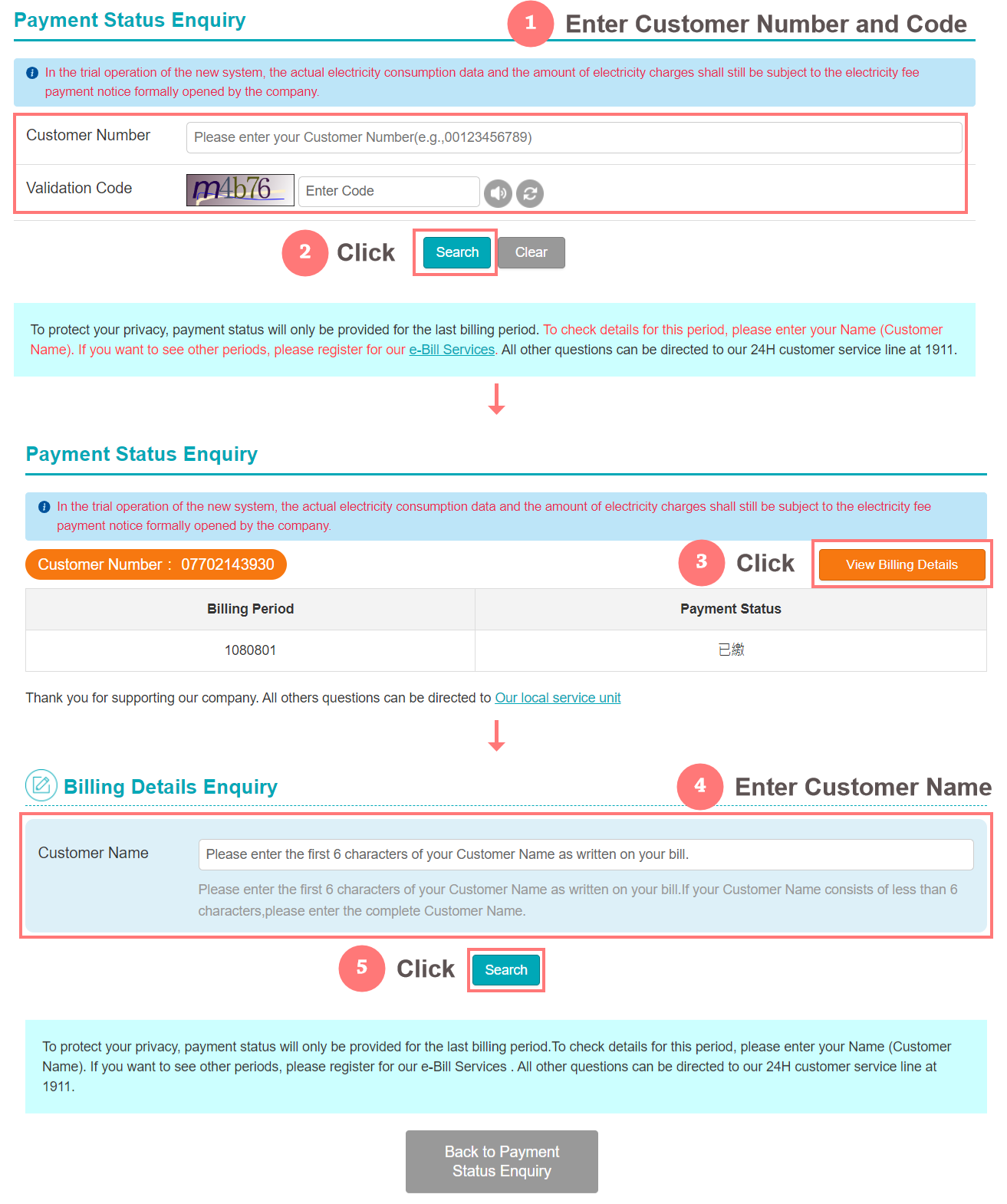
- Step 2:View billing details
- If you want to view the billing details, please click the 「View billing details」 button in the upper right corner and enter 「Power User Name」 to check the 「Billing Details」 and 「Power Chart Information」
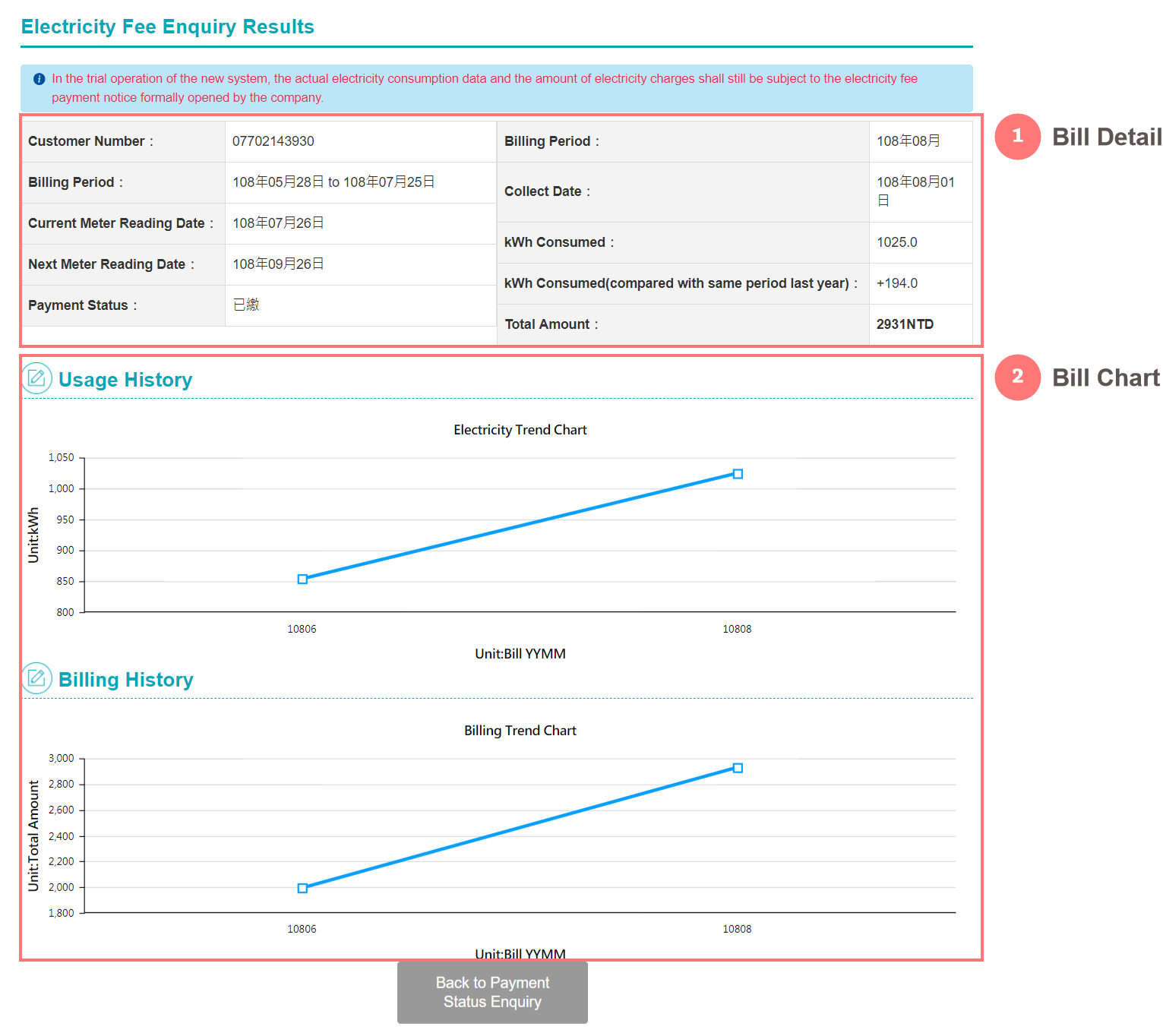
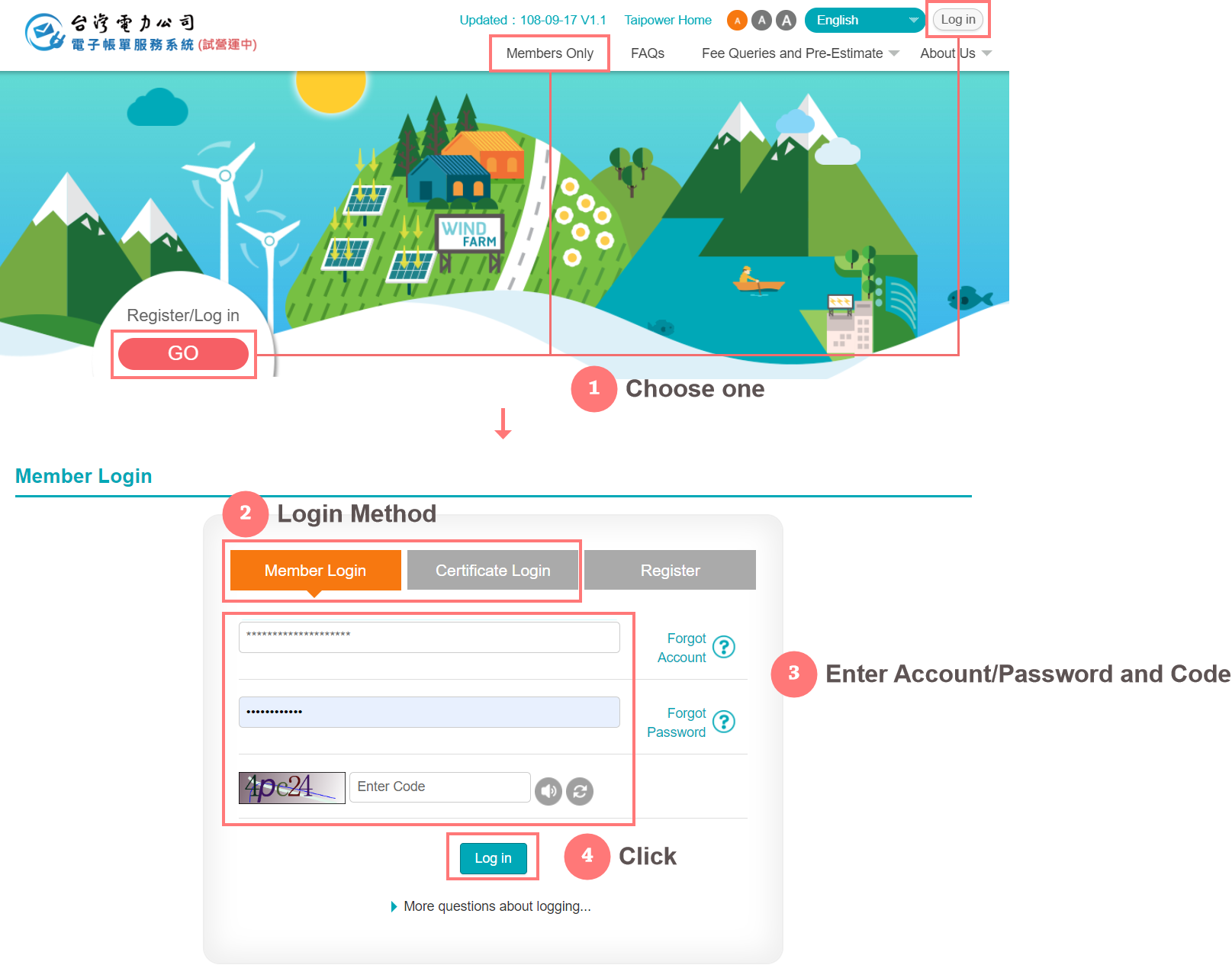
- The next step is 「Bill Queries」, which is required for users to log in.
- Step 1:Login
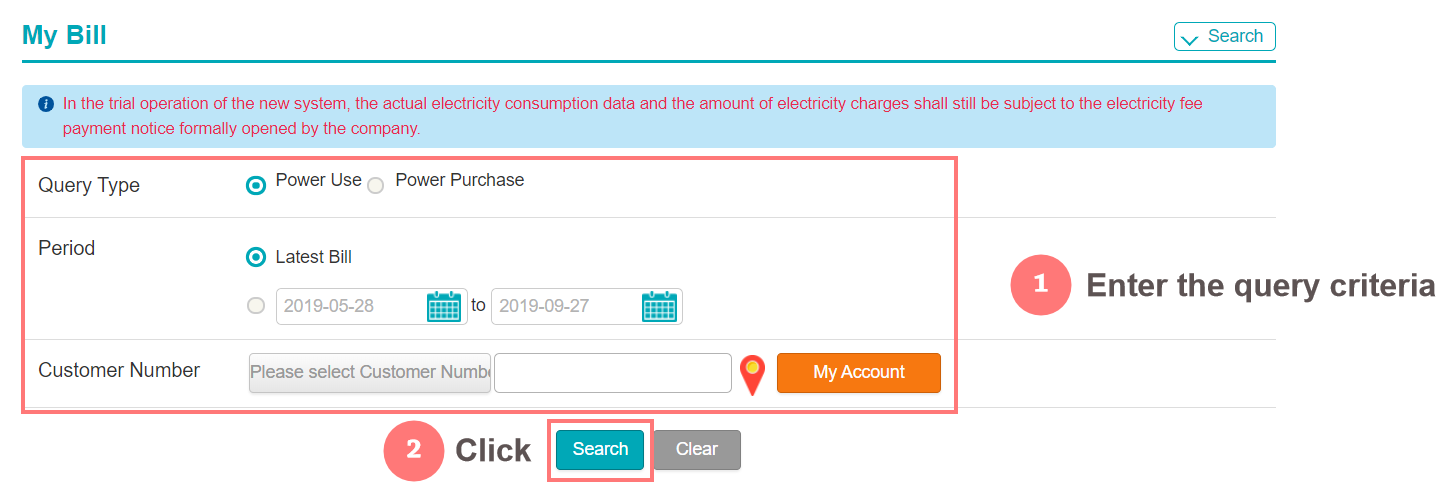
- Step 2:Enter the query criteria
- Step 3:Search result
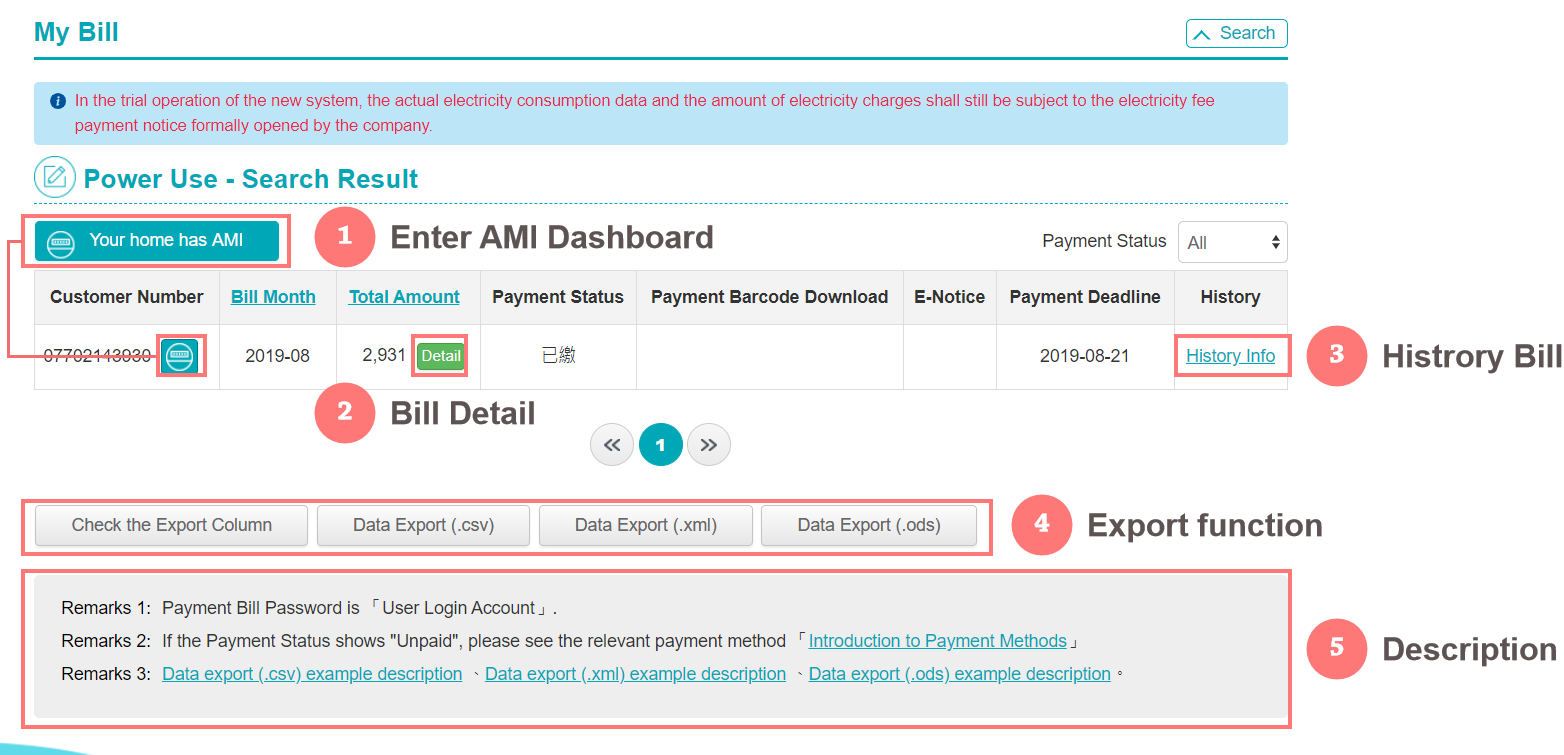
- If you want to view AMI (with smart meter users), please click 「Your home has smart meter (AMI)」
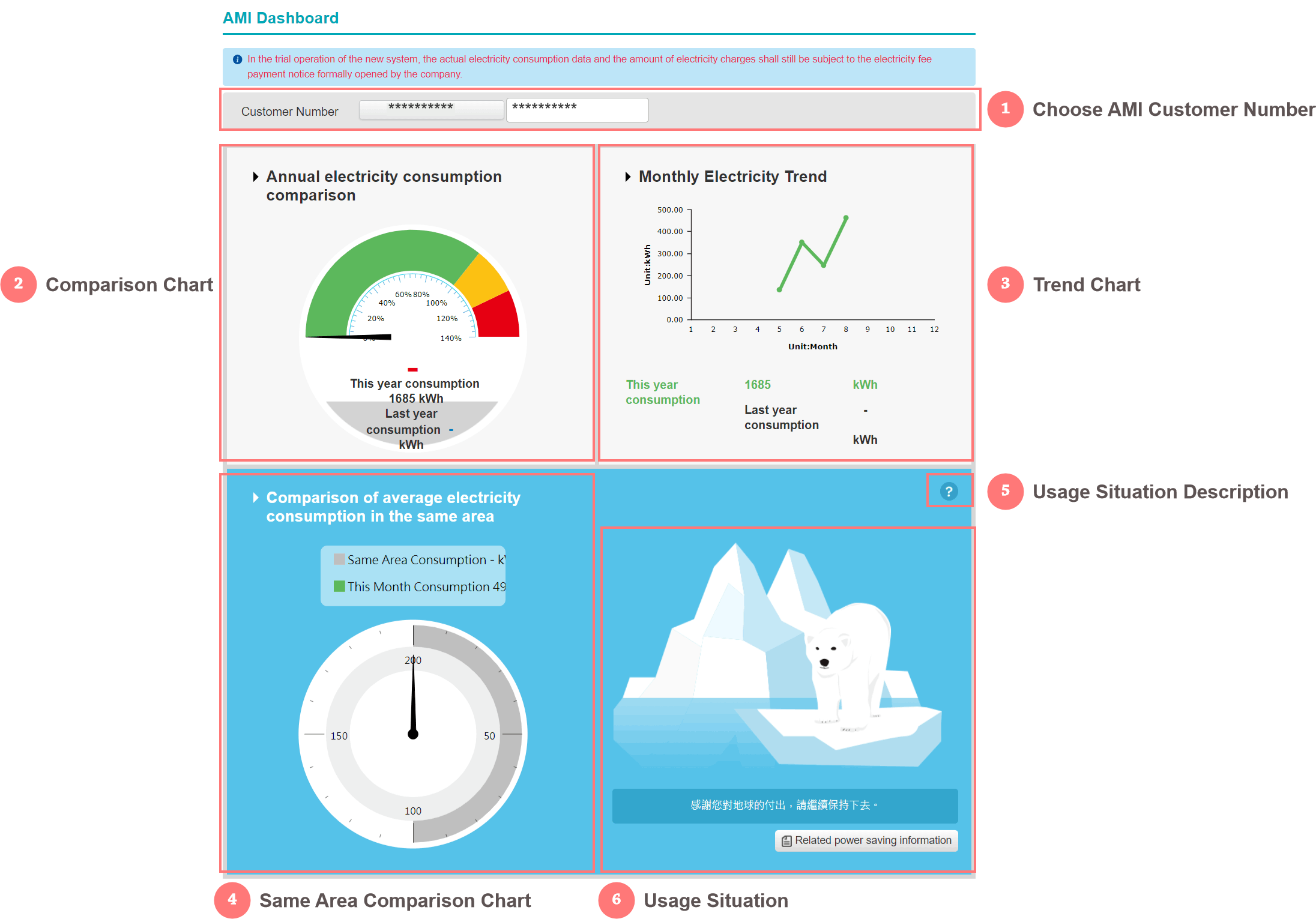
- If you want to know the meaning of the electricity status icon, please click 「Related Power Saving Information」
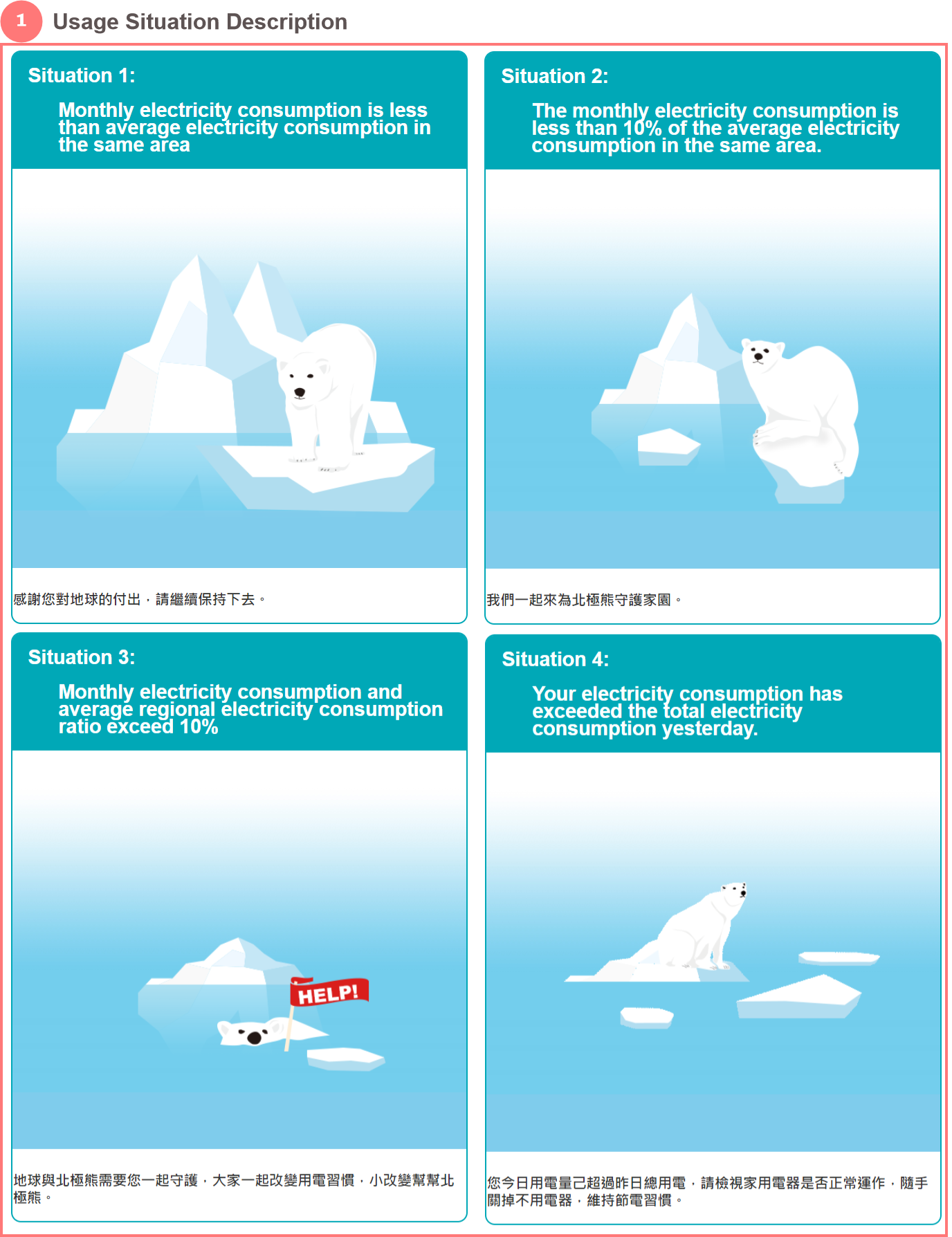
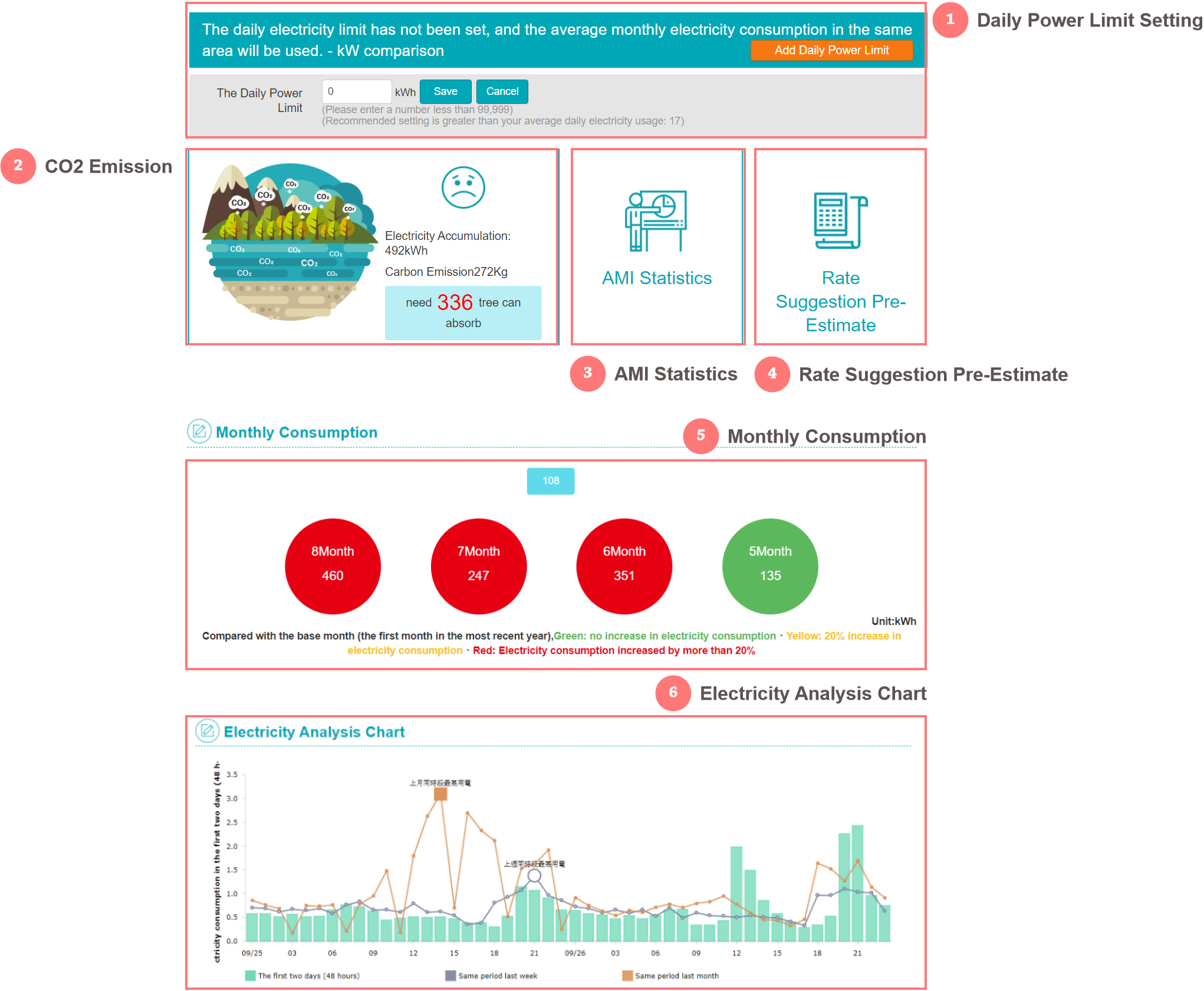
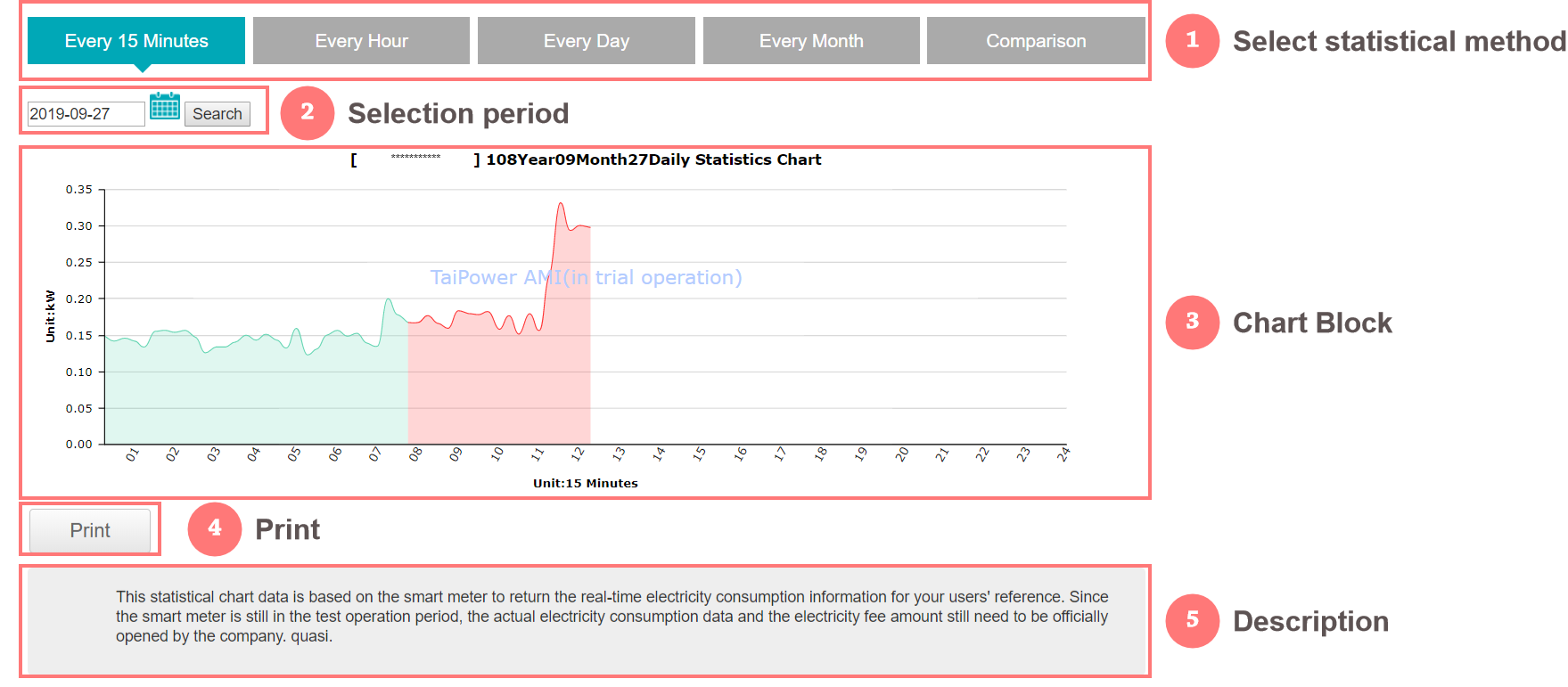
- If you want to view the power consumption statistics of smart meters, please click 「Smart Meter (AMI) to enter the block by point statistics」. This function distinguishes five types of chart information by tabs, which are 「yearly statistics」 and 「monthly statistics」. 「Daily Statistics」, 「Statistics every 15 minutes」, 「Comparative」.
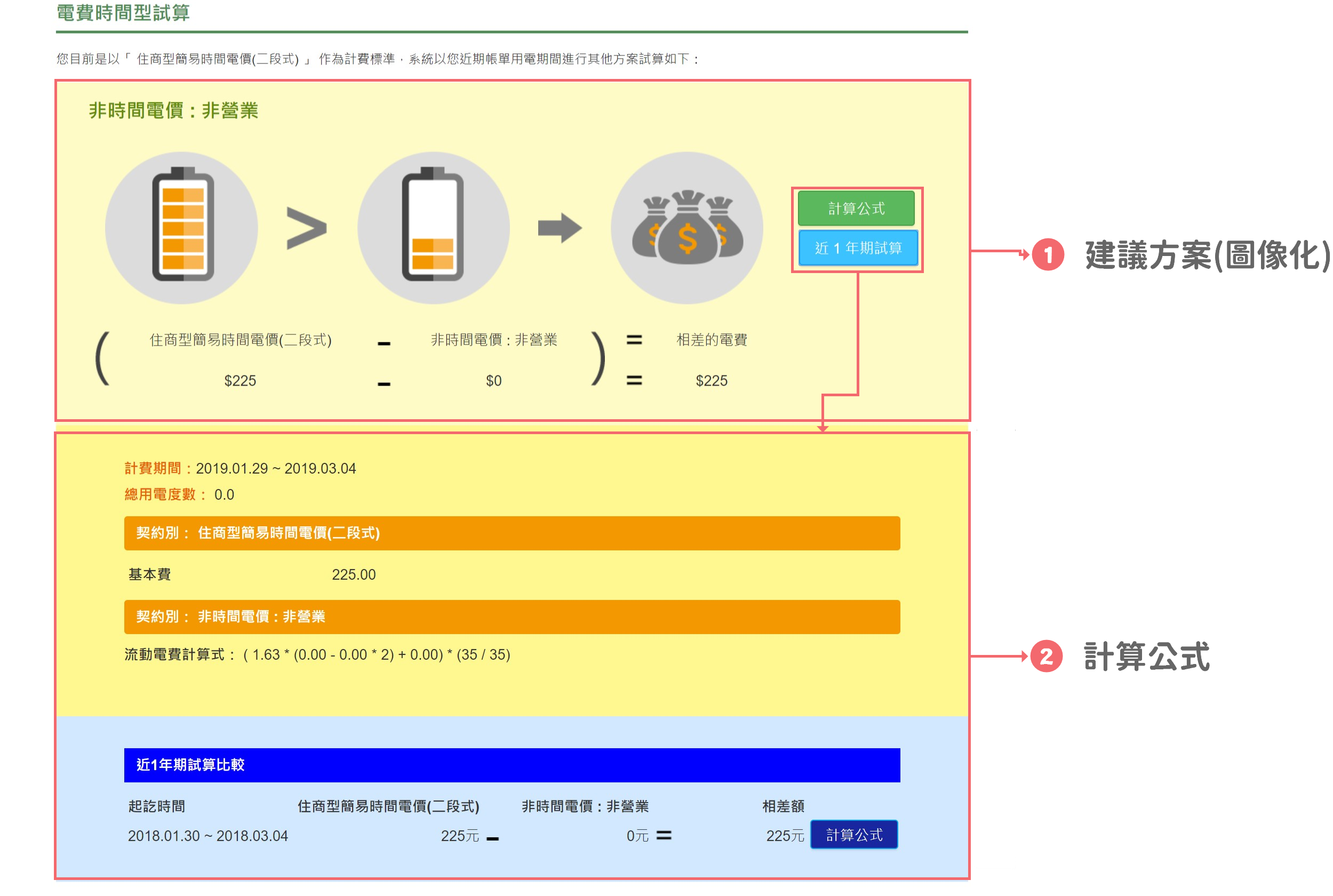
- If you want to know the trial of the rate plan, please click on the block of the 「rate plan trial」. This function will compare the amount calculated by the user with the trial plan of other contract, and let the user use it as a reference.